A great SaaS product can still struggle to grow if customers do not understand how it works.
This is especially true for software with complex dashboards. New users may see charts, menus, filters, reports, and multiple features. However, they may not know where to start.
This creates a major gap between product capability and customer understanding.
A SaaS Dashboard Demo Video can close that gap. Instead of asking prospects to read long feature descriptions, the video shows the software in action. Viewers can see the dashboard, understand important workflows, and learn how the product solves real problems.
This visual approach makes SaaS products easier to understand. It also helps businesses build trust, increase engagement, and support conversions.
In 2026, SaaS buyers expect fast and clear product experiences. They want to understand a product before investing time in a demo or free trial. Therefore, saas dashboard video 2026 strategies are becoming increasingly important for SaaS marketing teams.
A strong dashboard video can work across product pages, landing pages, sales presentations, social media, and onboarding campaigns. More importantly, it can turn complicated software into an easy-to-understand experience.
Let’s explore five important ways saas dashboard video content can support SaaS growth.
1. SaaS Dashboard Demo Videos Simplify Complex Products
SaaS platforms often have many features. Unfortunately, too many features can make a product difficult to understand.
A dashboard demo video solves this problem by showing users exactly how the software works.
Instead of explaining every function through text, businesses can demonstrate important workflows visually. This makes the learning process faster and more engaging.
1.1 Show Real Product Workflows
A strong SaaS Dashboard Demo Video shows the product in a realistic situation.
For example, a project management platform can demonstrate how a user creates a task, assigns it to a team member, tracks progress, and generates a report.
The viewer sees the entire workflow.
This is more useful than simply reading that the software “supports project management.”
The video connects features with real business outcomes. Therefore, potential customers can quickly understand how the product fits into their daily work.
1.2 Reduce the Learning Curve
New software can feel overwhelming.
Users may not know which feature to explore first. A dashboard video provides a clear starting point.
It can guide viewers through the most important parts of the interface. As a result, customers understand the product faster and feel more confident about using it.
This is particularly useful for SaaS companies with advanced dashboards, analytics platforms, CRM systems, and automation tools.
2. SaaS Dashboard Demo Videos Build Trust
Trust is essential when customers evaluate SaaS software.
A potential buyer wants to know whether the product is reliable, easy to use, and suitable for their business. A screenshot can provide a visual preview, but a video provides much more context.
The viewer can see the actual interface and understand how the software behaves.
2.1 Demonstrate the Actual Interface
A saas dashboard video gives prospects a realistic view of the product.
They can see menus, charts, reports, settings, and workflows before signing up.
This transparency reduces uncertainty.
For example, imagine a SaaS company claims that its analytics platform makes reporting easier. A dashboard demo can prove this claim by showing a user creating a report in a few simple steps.
The demonstration becomes evidence.
That can make the marketing message more credible.
2.2 Explain Features Through Real Use Cases Here
Features become more valuable when customers understand why they matter.
The Best SaaS Dashboard Demo Video does not simply point at buttons. It explains how each important feature solves a customer problem.
For example, instead of saying, “The dashboard includes automated reports,” the video can show how a marketing team automatically receives weekly performance reports.
This approach makes the feature more relatable.
It also helps prospects visualize themselves using the product.
3. SaaS Dashboard Demo Videos Increase Conversions
The main goal of SaaS marketing is not simply getting views. Businesses need those views to contribute to measurable results.
A well-produced dashboard video can support conversions by improving product understanding and reducing purchase hesitation.
3.1 Encourage Free Trial Signups
Many SaaS companies offer free trials.
However, visitors may hesitate to start a trial if they do not understand what they will get after signing up.
A dashboard video provides a preview.
Users can see the interface and understand the product’s core functionality before creating an account. This can make the free trial feel less risky.
When customers know what to expect, they are more likely to take the next step.
3.2 Improve Demo Requests
Dashboard videos can also support sales teams.
A prospect who watches a product demonstration already has a basic understanding of the software. Therefore, the sales team can spend more time discussing business requirements instead of explaining basic features.
This creates a more productive sales conversation.
It can also help qualify prospects because viewers who engage with the video already show interest in the product.
3.3 Strengthen Product-Page Engagement
Adding dashboard videos to product and landing pages can make those pages more engaging.
Visitors get an interactive way to learn about the product. Instead of scrolling through long blocks of text, they can watch a focused demonstration.
This creates another opportunity to communicate your value proposition.
For SaaS brands, better engagement can support more trials, demos, and conversions.
4. How to Create a High-Converting SaaS Dashboard Demo Video
Creating a dashboard recording is easy. Creating a video that actually drives business results requires more planning.
The video should have a clear purpose, audience, and message.
4.1 Start With a Strong Hook
The opening few seconds are extremely important.
Instead of beginning with a company introduction, start with a customer problem.
For example:
“Still spending hours turning your data into reports?”
This immediately connects with the viewer.
Then introduce the product as the solution.
A strong hook creates curiosity and encourages viewers to continue watching.
4.2 Focus on Customer Benefits
A common mistake is focusing too heavily on product features.
Customers care about outcomes.
Therefore, explain how the dashboard helps them save time, improve productivity, reduce manual work, or make better decisions.
The video should answer one important question:
“What will this product help me achieve?”
This customer-focused approach makes the video more persuasive.
Companies looking for SaaS dashboard feature demo video services should also ensure that the production team understands the product’s audience and business goals.
4.3 Add a Clear Call-to-Action
Every high-converting dashboard video needs a clear next step.
The CTA could encourage viewers to start a free trial, book a demo, explore the product, or contact the sales team.
Keep the CTA simple.
If the video explains the product clearly but does not tell viewers what to do next, you may lose potential customers.
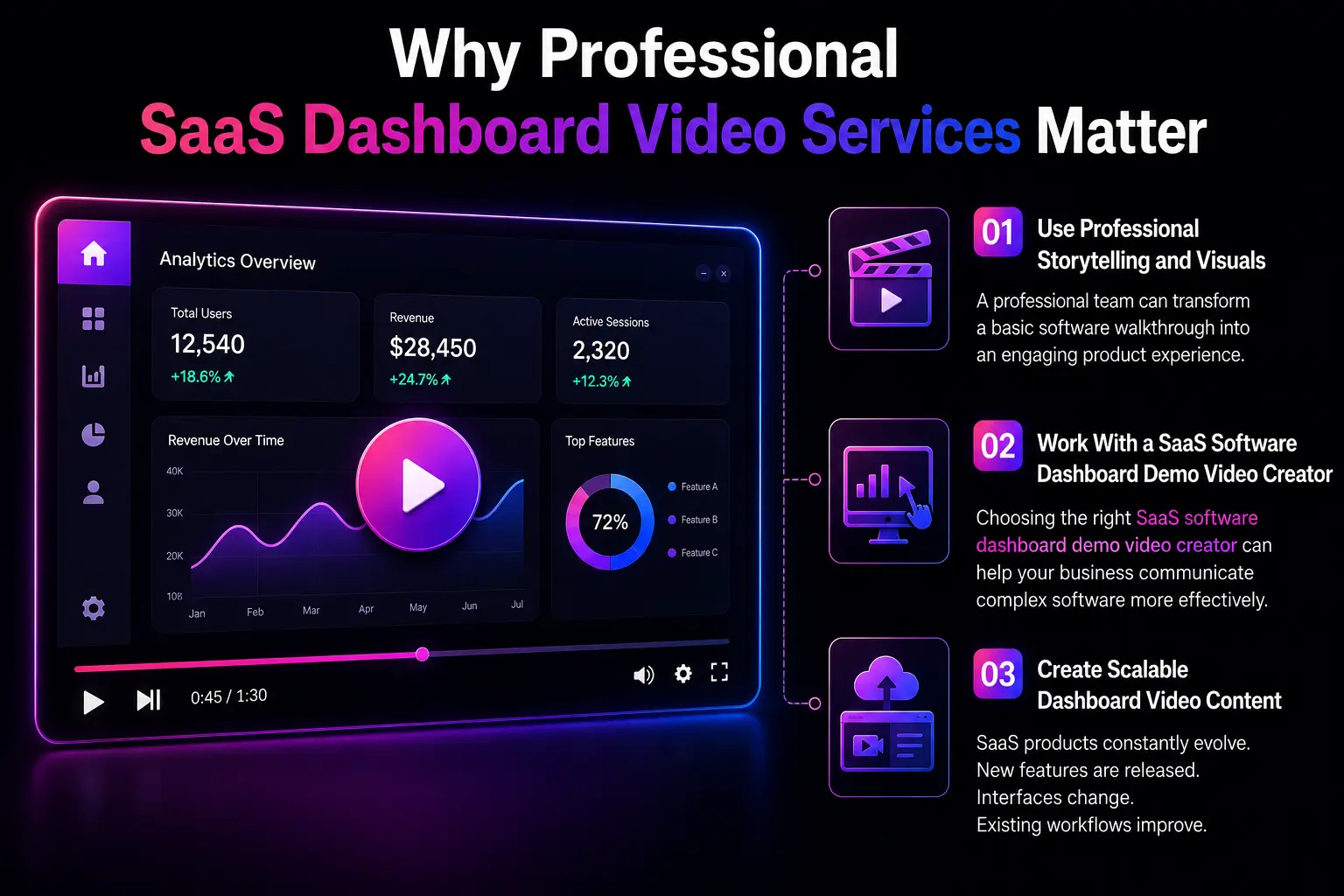
5. Why Professional SaaS Dashboard Video Services Matter
Creating effective dashboard content requires more than screen recording.
The video needs strong storytelling, clean visuals, effective pacing, and clear narration. This is where professional production can make a difference.
5.1 Use Professional Storytelling and Visuals
A professional team can transform a basic software walkthrough into an engaging product experience.
Motion graphics, zoom effects, cursor highlights, annotations, and transitions can direct attention toward important areas of the dashboard.
Good storytelling also ensures that the video follows a logical structure.
The viewer first understands the problem. Then they see the solution. Finally, they are encouraged to take action.
This structure makes the video easier to follow.
5.2 Work With a SaaS Software Dashboard Demo Video Creator
Choosing the right SaaS software dashboard demo video creator can help your business communicate complex software more effectively.
A specialized creator understands SaaS audiences and product marketing.
They can identify the most important features and turn them into a focused visual story.
This is particularly useful for products with complex dashboards, multiple user roles, or advanced workflows.
5.3 Create Scalable Dashboard Video Content
SaaS products constantly evolve.
New features are released. Interfaces change. Existing workflows improve.
Therefore, businesses need a video strategy that can scale.
Instead of creating one large video, companies can build a collection of focused dashboard videos.
For example, separate videos can explain onboarding, reporting, integrations, automation, and advanced features.
This creates a useful video library for both prospects and existing customers.
It also makes future updates easier because individual videos can be replaced without recreating the entire library.
Conclusion
A SaaS Dashboard Demo Video can turn a complicated software interface into a simple and engaging customer experience.
It shows prospects how the product works. It explains important features through real use cases. It also builds confidence before customers take the next step.
As SaaS competition continues to grow, product clarity is becoming increasingly important. Businesses cannot rely only on feature lists and screenshots. They need content that demonstrates real value.
By investing in effective saas dashboard video content, companies can improve product understanding, support sales, and increase customer engagement.
The strongest approach is to create focused, customer-oriented videos instead of trying to explain everything at once. With the right strategy and professional high-converting SaaS dashboard demo video services, a SaaS company can turn its dashboard into a powerful marketing and sales asset.
Frequently Asked Questions
What is a SaaS Dashboard Demo Video?
A SaaS Dashboard Demo Video is a visual demonstration that shows how a software dashboard works. It explains important features, workflows, and use cases to help prospects understand the product.
Why are SaaS Dashboard Demo Videos important?
They simplify complex software, build trust, improve product understanding, and support conversions. They can also help sales and customer success teams educate users.
What makes the Best SaaS Dashboard Demo Video?
The best videos have a strong hook, simple messaging, realistic product demonstrations, customer-focused benefits, professional visuals, and a clear CTA.
How long should a SaaS Dashboard Demo Video be?
The ideal length depends on the product and purpose. A focused feature demonstration can be short, while a complete product overview may require more time. The key is to avoid unnecessary information.
Can dashboard videos increase SaaS conversions?
Yes. Dashboard videos can reduce product confusion and help prospects understand value before signing up. This can support free trial signups, demo requests, and product conversions.