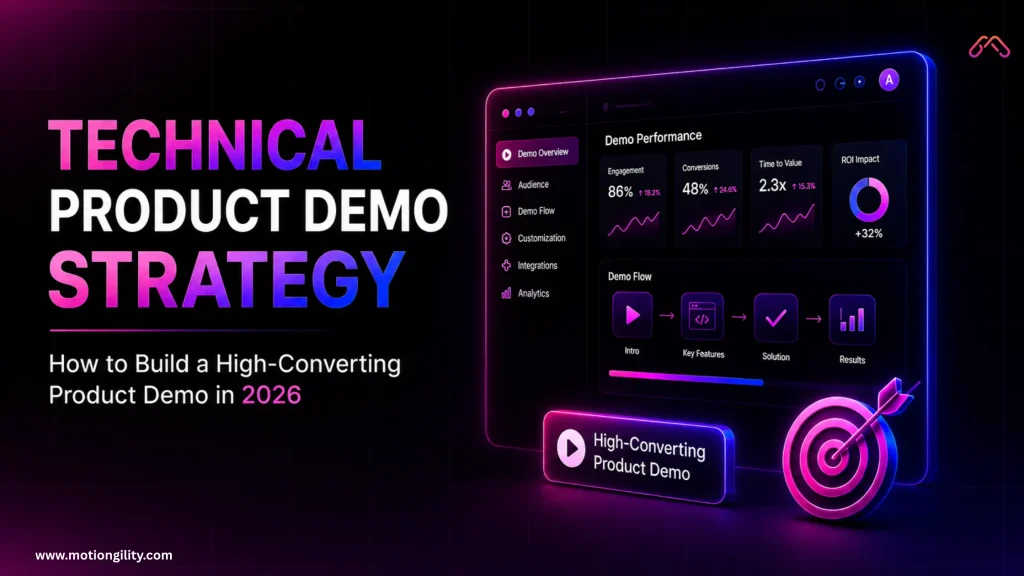
Your prospects (software buyers) are completely exhausted. They have sat through dozens of software presentations, listened to countless generic pitches, and seen grand promises of total workflow transformation in automated sales decks. Despite this, most Technical Product Demo Strategy approaches still fail to close the deal (convert).
Why does this happen? Most teams present a technical product demo as a ‘boring checklist of features’ instead of building a story-driven value proposition, which is a core failure in any modern Technical Product Demo Strategy. In 2026, the B2B tech market is hyper-competitive, and buyers look at every claim with skepticism.
If your software demo looks difficult to understand, people will assume your product is difficult too. If your onboarding flow is cluttered with minor technical details, your platform will feel complicated. This is exactly what a strong Technical Product Demo Strategy is designed to fix.
To strengthen your sales pipeline and accelerate sales velocity, you need a modern, high-converting technical product demo strategy. This comprehensive guide will teach you how to drop the old habit of listing features and create personalized demo experiences that turn cold trials into loyal enterprise accounts.
1. The Reality of Technical Product Demo Strategy in 2026
For years, the B2B sales playbook was incredibly simple: run a short discovery call, schedule a 45-minute live sales demo, and have a sales engineer click through every single tab on the UI. That old playbook is officially dead. Today’s software buyers want to experience the product immediately, on their own terms, and without any fluff.
They do not want to see how your product works in theory; they want to see how your product solves their specific problem right here, right now. According to B2B buying data, self-service and on-demand demos have become a basic standard in the digital era. Buyers now expect a personalized journey tailored directly to their data architecture, security requirements, and daily workflow.
[Old Demo Strategy] -> Feature Checklist -> Low Engagement
[2026 Demo Strategy] -> Story-driven Narrative -> 10-20% Baseline Conversion
Today’s top-performing product teams build their technical product demo strategy around Experience-Led Growth. This means your demo format must match the exact stage of the funnel your buyer is in, prioritizing clean clarity over exhausting deep-dives.
2. Setting Up Your Funnel: Three Main Demo Formats
No single, one-size-fits-all product demo can handle a modern B2B sales cycle. To maximize your conversion rate, you must deploy different demo formats at different stages of your marketing and sales funnel.
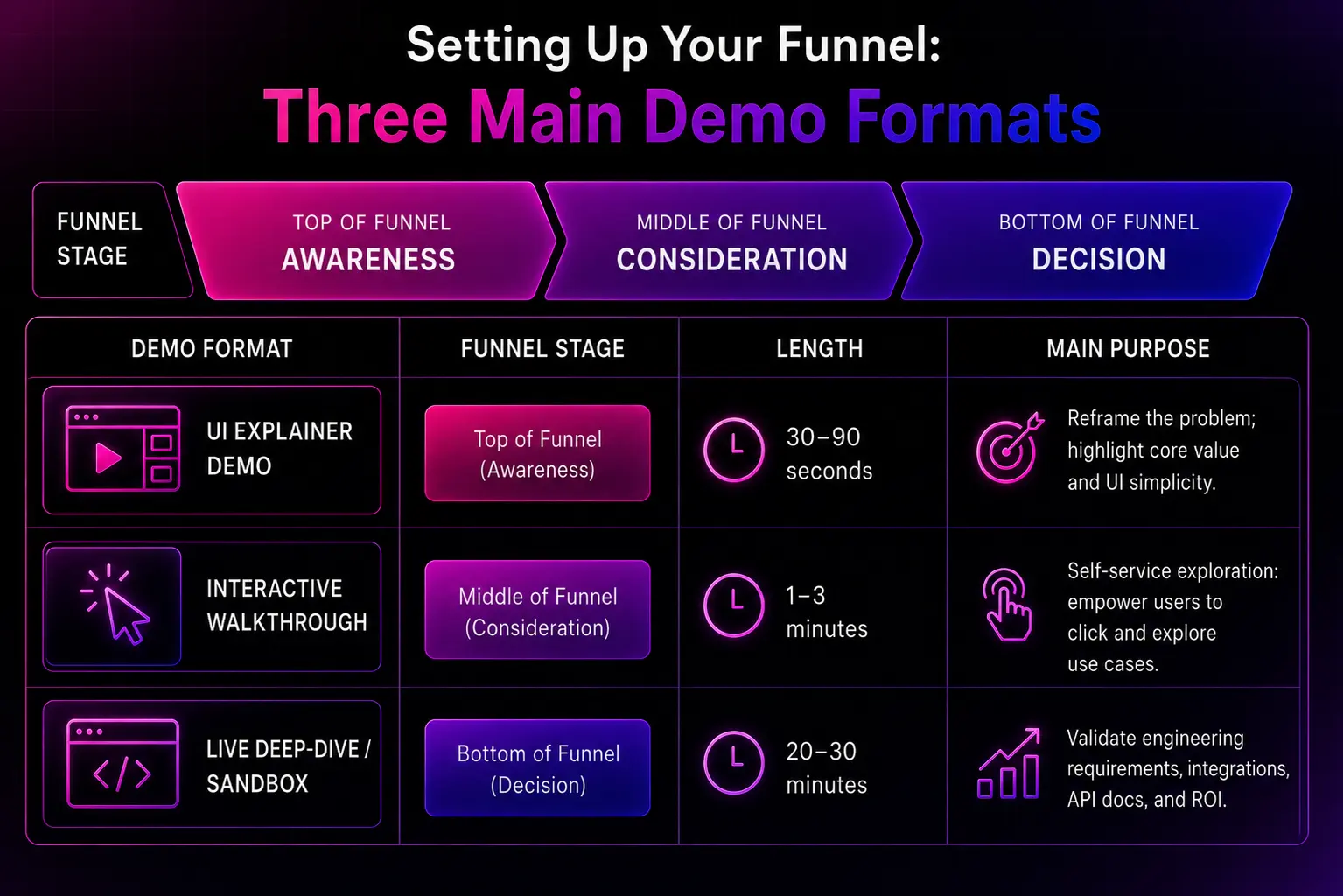
Demo Format | Funnel Stage | Length | Main Purpose |
UI Explainer Demo | Top of Funnel (Awareness) | 30–90 seconds | Reframe the problem; highlight core value and UI simplicity. |
Interactive Walkthrough | Middle of Funnel (Consideration) | 1–3 minutes | Self-service exploration: empower users to click and explore use cases. |
Live Deep-Dive / Sandbox | Bottom of Funnel (Decision) | 20–30 minutes | Validate engineering requirements, integrations, API docs, and ROI. |
Top of Funnel: Short UI Demo
At this awareness stage, your user has not yet fully committed to buying your software. Here, a short, precise visual asset showcasing the core elements of the interface works best. Do not explain the theory behind your entire data pipeline or administrative settings.
Focus purely on a Wow moment that proves how your platform effortlessly eliminates the manual headache they struggle with today.
Middle of Funnel: Self-Service Interactive Demo
When a prospect lands on your product marketing page, give them the opportunity to see the product layout immediately. Tools like Navattic, Storylane, and Arcade allow you to build guided HTML click-through tours or screenshot sequences. These self-service tools prevent user drop-off because buyers can explore features at their own pace without waiting for a calendar booking or a call.
Bottom of Funnel: Live Technical Confidence (Validations)
When enterprise buyers or the full decision-making committee finally hop on a live sales call, they want technical validation. They want to see an environment populated with realistic data, smooth navigation, and clear answers regarding security certifications and API configurations. This is where your sales engineering team shows its true strength by running highly customized, collaborative workshops.
3. Crafting a High-Converting Narrative Arc
Every high-converting software demo is anchored by a strong storytelling framework. If you blindly jump from one tab to another without any logic, you will lose the prospect’s interest. Instead, structure your entire presentation into a proven narrative arc: Problem, Solution, and Measurable Outcome.
Start with the Problem, Not the Product
Begin your demo by touching upon the exact pain point your buyer wrestles with daily. If you are conducting a live session, verify this immediately based on your previous discovery notes: Based on our last conversation, it sounds like your engineering team loses about five hours every week manually mapping data schemas. Is that still the biggest bottleneck?
Wait for their response. By highlighting this loss right at the start, you anchor the entire presentation to an urgent business need rather than a random list of features.
Make the Customer the Hero of the Story
Your software is not the main character of your story; your customer is. Frame your product as the specialized tool that empowers the user to eliminate manual work, reduce churn rate, or reignite stagnant Monthly Recurring Revenue (MRR stagnation). Use a data environment that closely mirrors their business so they can visualize themselves working inside the platform.
Show the 'Before and After' Difference
Clearly demonstrate the contrast between life before and after adopting your solution. First, show the cluttered, error-prone manual process, and then reveal how your platform resolves it in just a few clicks. Make sure every feature you demonstrate directly connects back to a business metric, such as reducing onboarding friction or saving valuable engineering hours.
4. Personalizing Demos for Different Tech and Executive Personas
A cookie-cutter, generic demo will never appeal to an entire buying committee. If you start explaining deep API endpoints to a Chief Financial Officer (CFO) or show a high-level marketing dashboard to a DevOps engineer, you will lose the deal. Personalization is essential.
Technical Buyer (DevOps, Architects, Engineers)
Technical buyers are naturally skeptical of marketing promises. They want to test the stability of the system. When presenting to this persona, focus on:
- Integrations and Data Architecture: Show exactly how your tool fits seamlessly into their existing Tech Stack.
- API Documentation and Customization: Demonstrate how easily their developers can extend the core platform’s functionality.
- Security and Compliance: Proactively address SOC 2, ISO 27001, or data encryption standards right inside the environment.
End User (Managers, Team Members)
End users care about how easy, fast, and simple the software is to use on a daily basis. They want to ensure your software minimizes their workload instead of adding to it.
- UI Simplicity: Highlight intuitive navigation, clean dashboards, and minimal configuration requirements.
- Daily Workflows: Walk through a real daily task and prove how your automation cuts down their operational steps.
- Time Savings: Use ‘progressive disclosure meaning, open advanced settings only after you have proven the simplicity of the core action.
Executive Buyer (C-Suite, VPs, CFOs)
Executives focus strictly on the Total Cost of Ownership (TCO) and business profitability. They care very little about which button or menu sits where.
- ROI Framework: Display high-level data visualizations and charts that prove financial or strategic impact.
- Implementation Timeline: Clearly outline the path from onboarding to full Time-to-Value.
- Resource Optimization: Explain how your platform helps scale operations without needing to aggressively increase team headcount.
5. Technical Best Practices to Prevent Demo Failures
An unexpected technical glitch or slow page load during a high-stakes presentation can completely ruin your hard work. A laggy or bug-ridden demo environment instantly shatters buyer trust. To keep your product presentation flawless, integrate these best practices into your workflow:
- Eliminate Placeholder Data: Never use fake-looking data like Lorem Ipsum or empty graphs. Populate charts with rich, clean, realistic data sets that directly match the prospect’s industry vertical.
- Keep the Demo Sandbox Isolated: Ensure your sales team operates in a dedicated, stable staging environment completely separated from live production updates or fresh development builds.
- Create Natural Pauses for Conversation: Do not just rush through a rigid script. Take intentional pauses during your walkthrough and ask open-ended questions, such as How does your current internal process compare to this flow?
- Maintain a Clean Visual Environment: Hide browser bookmarks, clear messy desktop notifications, and close unnecessary tabs. A cluttered screen distracts the buyer and damages your professional image.
6. Optimization, Feedback Loops, and Post-Demo Follow-Up
Your technical product demo strategy does not end when the presentation concludes. High-converting frameworks rely heavily on post-demo analytics and precise follow-ups to maintain deal momentum.
Leverage Interactive Demo Analytics
If you use self-service interactive tours on your website, monitor user interaction data closely. Identify where users drop off, which features drive the highest engagement, and where they spend the most time. Use these signals to continuously refine your demo and shorten friction points.
Review Live Sessions with Conversation Intelligence
Analyze your team’s live call recordings using conversation intelligence tools. Pay close attention to the technical objections that pop up repeatedly, note the sections where buyers ask for clarification, and identify what captures their attention most. Feed these insights back into your product marketing strategy.
Send Value-Driven and Customized Follow-Ups
Within a few hours of closing a live demo, send a personalized recap email to all stakeholders. Instead of a generic checking-in message, share resources based directly on the conversation:
[Live Technical Demo] -> Identify Specific Bottlenecks -> Send Custom Sandbox + API Docs
Provide a direct link that leads them right back to a personalized dashboard or sandbox path that resolves the exact issues discussed during the call. This empowers your internal champion to easily share the product’s value with decision-makers who could not attend the live meeting.
7. The Magic of Explainer Videos: How It Solves Your Demo Problems at the Root
If you look closely, traditional live demos or text-heavy guides suffer from three major issues: user drop-off, technical bugs, and a shortage of time. A professionally and strategically produced explainer video (Explainer Video) serves as the single most accurate solution to all these problems.
Here is how an explainer video completely transforms your entire demo strategy:
1. Zero Technical Flops
An internet slowdown, a server crash, or an unexpected bug during a live demo is a sales team’s worst nightmare. An explainer video eliminates this risk entirely. Through a video, your software always appears 100% perfect, smooth, and operating without any interruptions, ensuring the buyer’s trust never wavers.
2. Replacing Boring Features with a Visual Hook.
Demonstrating complex software setups live can bore a prospect. In an explainer video, you can use motion graphics, customized screen recordings, and professional voice-overs to turn even the most complex technical architecture into something incredibly simple and engaging. Instead of losing the user, it hooks them within the first 15 seconds.
3. Time Savings and 24/7 Availability
Your sales team cannot be available to give live demos every hour of the day, nor does every buyer have the time to book a 30-minute call. An on-demand explainer video lives on your website 24/7. Buyers can understand the core value (Wow Moment) of your product in just 2 minutes, whenever it is convenient for them.
4. Asynchronous Selling Within the Buying Committee
B2B software decisions typically involve 5 to 6 people. Usually, only one or two stakeholders actually attend the live call. Once the meeting ends, your internal champion often struggles to convey the product’s true value to the remaining decision-makers or the CFO.
However, when you provide a crisp explainer video, they can easily share it across entire buying committees, Slack channels, or emails, doubling your deal velocity.
Conclusion
In 2026, a successful technical product demo strategy is no longer about showing how your software functions; it is about proving how fast your customer can achieve their goals. By moving away from rigid feature checklists and adopting an experience-led approach, you instantly eliminate buyer friction and accelerate your sales velocity.
Whether you deploy self-service interactive walkthroughs for top-of-funnel engagement or use high-converting visual assets to enable asynchronous selling across a buying committee, your goal remains the same: Make the value undeniable, and make the experience effortless.
Early Bird Access – Join the Waitlist!
Are you tired of losing enterprise deals to unexpected live-demo bugs, laggy sandbox environments, or exhausted buying committees who don’t have time for another 45-minute sales call? We are building the future of automated, high-converting product walkthroughs.
We are now opening private Beta Access to a hand-picked group of forward-thinking founders and product builders who want to turn complex software into effortless visual stories. By joining our exclusive waitlist today, you aren’t just getting an AI-powered tool; you’re gaining a massive competitive edge.
Exclusive Member Benefits:
- Priority Access: Skip the queue and be the first to automate your production-grade video walkthroughs before the official public launch.
- Founder’s Pricing: Secure exclusive, lifetime discounts and special tier pricing that will never be offered to the general public again.
- 1-on-1 Strategy Support: To ensure your launch scales instantly, early waitlist members receive a completely free video marketing and onboarding funnel audit from our expert strategy team.
FAQs
1. What is a technical product demo strategy?
A technical product demo strategy is a structured approach used by SaaS and tech companies to showcase product value, features, and ROI through guided demos that convert prospects into customers.
2. Why do most product demos fail to convert leads?
Most demos fail because they focus on feature listings instead of storytelling, user pain points, and real business outcomes.
3. What is a story-driven product demo?
A story-driven demo follows a narrative structure: problem, solution, and measurable outcome instead of listing random features.
4. How do explainer videos improve product demo performance?
Explainer videos simplify complex features, eliminate technical risks, and provide 24/7 product understanding for buyers.
5. How do follow-ups improve demo conversion rates?
Personalized follow-ups with sandbox access, API docs, and recap emails help maintain momentum and close deals faster.